If you would like to contact the Clear Books Support Team, click the Need help? text at the top right corner of the title banner. This will bring up the Support panel with links to relevant guides to this page and a link to our community.
Please note: If you are on a smaller screen, such as a mobile device, the support panel options may be moved to a 'burger menu' in the top left due to mobile optimisation.
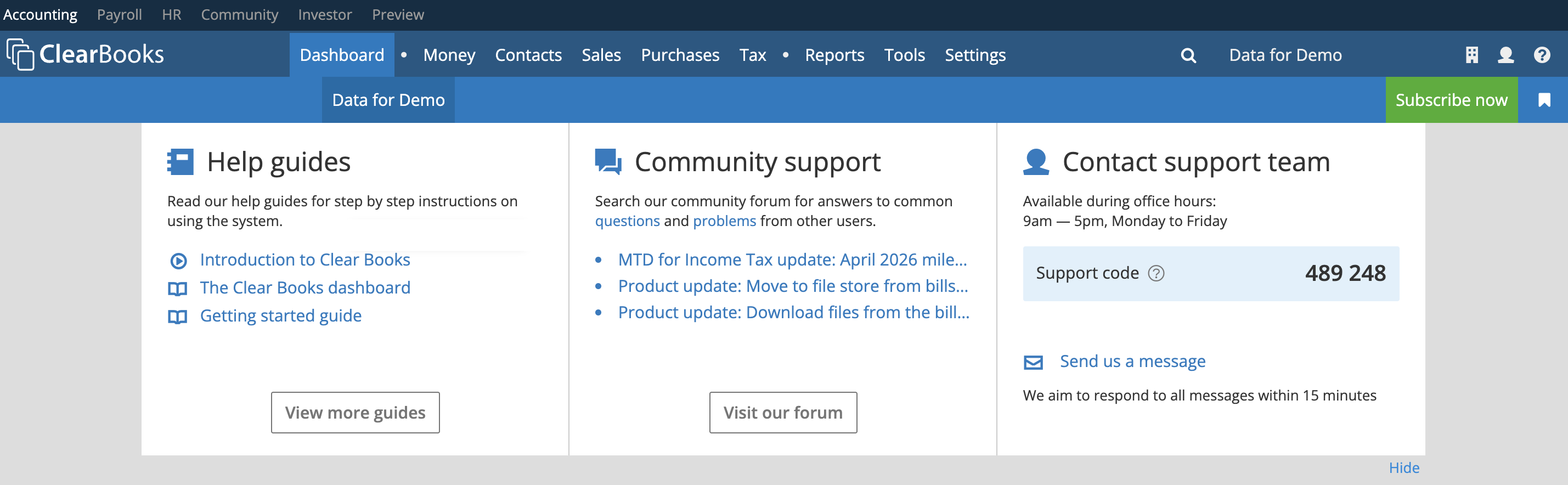
If you give us a call please take note of your support code, the support team will ask you for this code to confirm your business details.
Click on the Send us a message link to send us an email.
Create an email ticket to the support team. Enter a title and the body of the message then click the Send button. The support team aims to respond to tickets within 2 hours.
Alternatively, just click on the link below and you will taken to this open contact form (you will be taken to the Clear Books login form if you are not already logged in).

Was this article helpful?
That’s Great!
Thank you for your feedback
Sorry! We couldn't be helpful
Thank you for your feedback
Feedback sent
We appreciate your effort and will try to fix the article