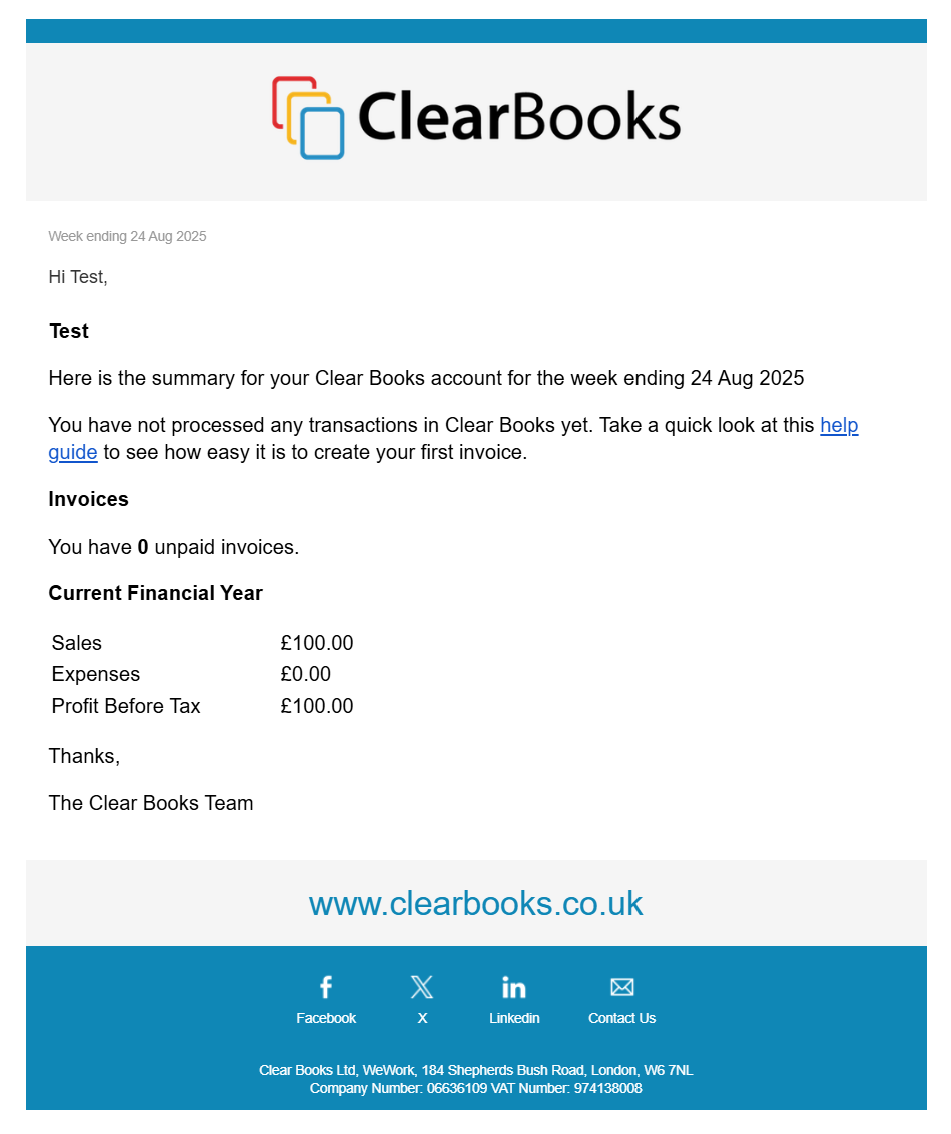
The weekly emails are a snapshot of your Clear Books account sent from no-reply@clearbooks.co.uk. This is not a monitored email address so please don't reply to it.
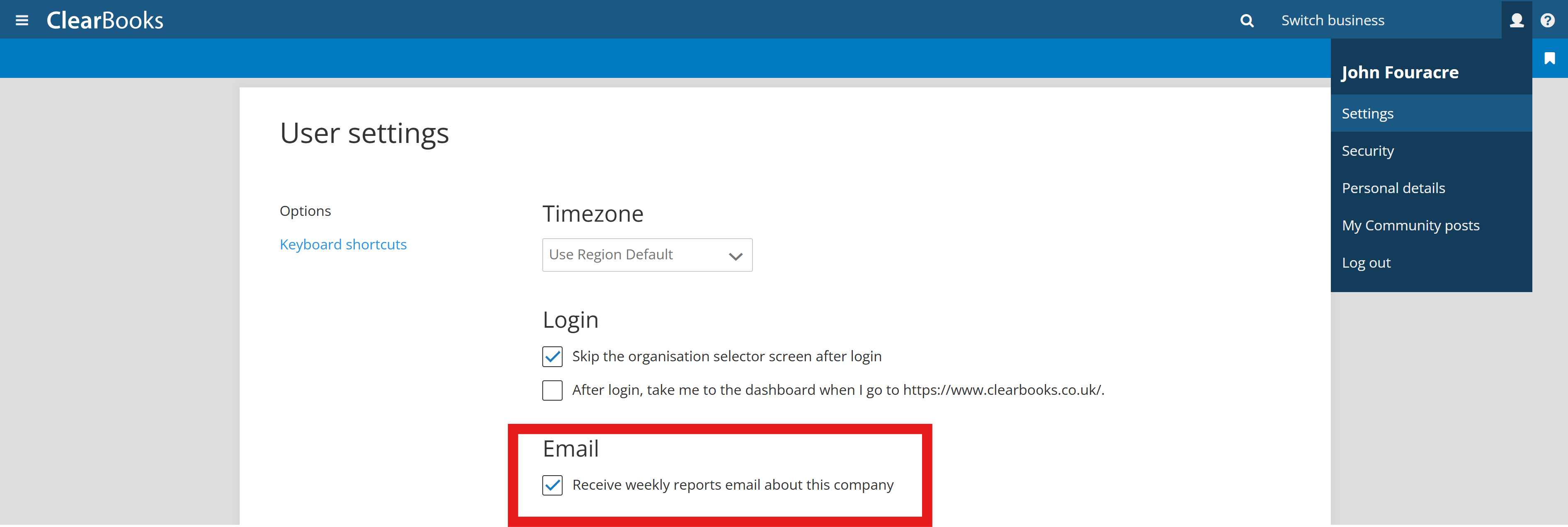
The email itself can be toggled off if you find them irrelevant. Click the person icon (the Clear Books Account options) located in the top-right corner of the screen and select "Settings".
Disable or enable the weekly emails using the checkbox beside the setting.
Was this article helpful?
That’s Great!
Thank you for your feedback
Sorry! We couldn't be helpful
Thank you for your feedback
Feedback sent
We appreciate your effort and will try to fix the article