To record a mileage expense claim on the Clear Books Basic Accounting, you can use the record expenses feature on your dashboard. Since mileage is usually a claim for a business cost you have paid personally rather than a direct cash payment from a business bank account, we recommend using the owners funds account to keep your records accurate.
The owners funds account represents money that you, as the owner, have put into the business by paying for expenses personally. This keeps your business performance reports accurate without affecting your actual bank balance in the software.
1. Manually create expense claim - Paid from Personal bank account (Manual Method):
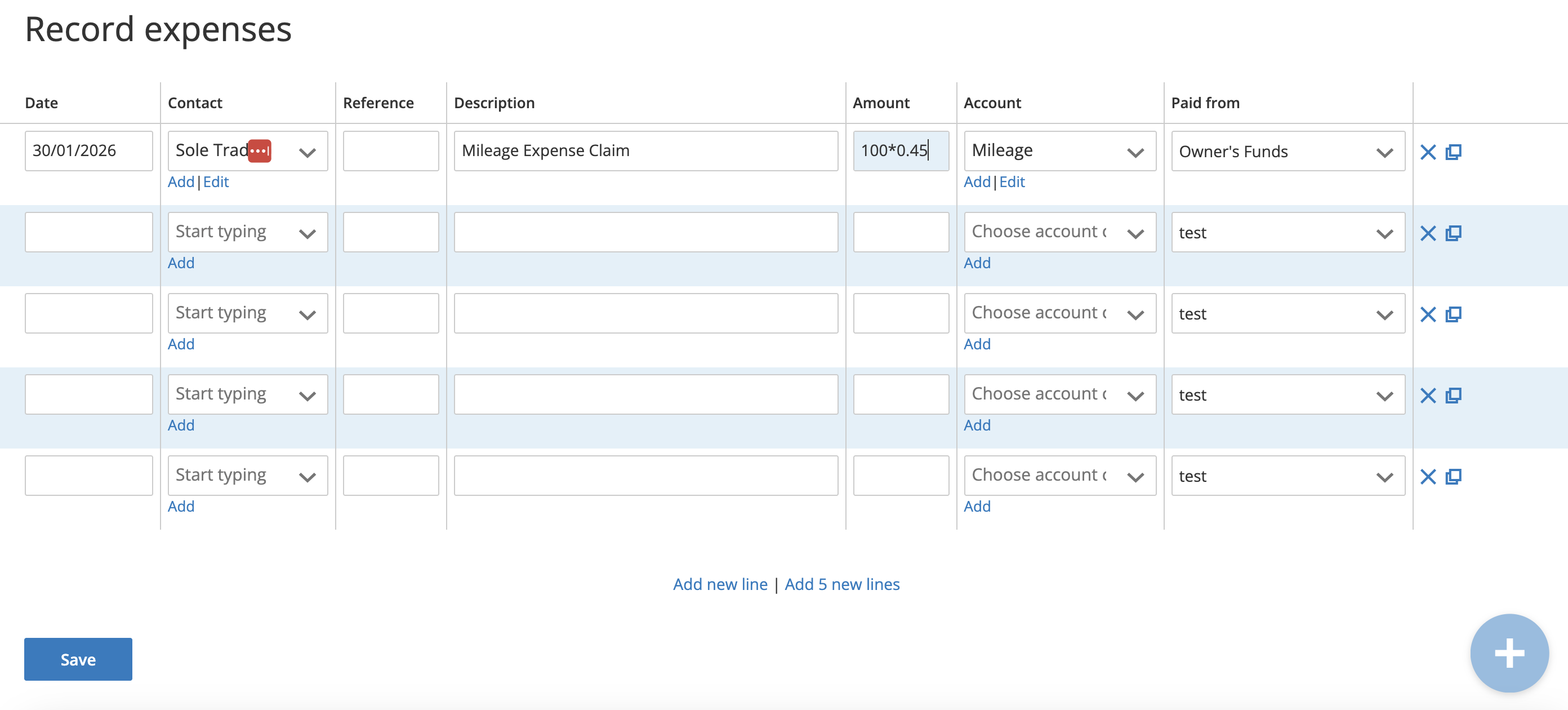
Click on the Manually Record Expenses button on your dashboard.
- In the date field, enter the date the travel took place.
- For the contact, you can select your own name or create a generic contact for yourself if you have not done so already.
- In the description field, add details of the journey, such as the destination and the number of miles.
- In the amount field, enter the total value of the claim. For example, if you are claiming 100 miles at 45p per mile, you would enter 100*0.45 or 45.
(For more information, refer to the official government guidance: https://www.gov.uk/government/publications/rates-and-allowances-travel-mileage-and-fuel-allowances/travel-mileage-and-fuel-rates-and-allowances)
- In the account field, select the mileage account code from the list.
- Under the paid from dropdown menu, select Owners Funds.
- Click save at the bottom to complete the record.
2. Paid from Business bank account (Bank Feed Method):
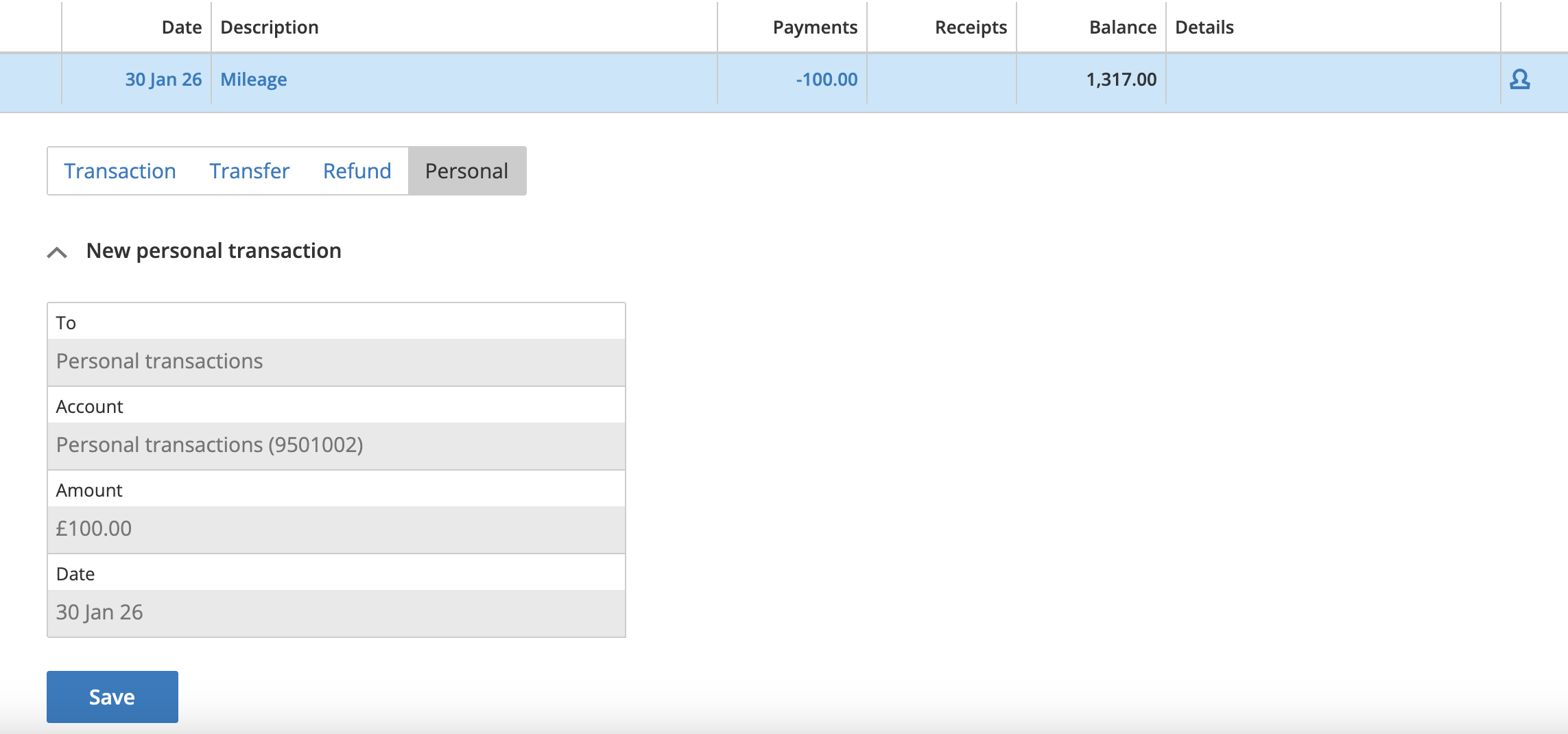
When you pay for fuel directly from your business bank account and the transaction appears on your imported bank statement, there is an additional step. You will need to record it as a manual expense claim. Then, explain the fuel transaction as a transfer to personal transactions.
Step 1. Create an Owner's Funds Bank Account (if you don't have one):
- Navigate to the Bank accounts heading on the Dashboard.
- Click the Add bank account option.
- Select Owners funds, enter an Account name, and save.
Step 2. You must create the mileage expense claim as per Section 1. Manually create expense claim.
Step 3. When explaining the bank statement, you must explain this using the Personal tab.
Was this article helpful?
That’s Great!
Thank you for your feedback
Sorry! We couldn't be helpful
Thank you for your feedback
Feedback sent
We appreciate your effort and will try to fix the article